
Blog
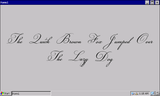
Adding Custom Fonts To the CUWIN
Sometimes it may be necessary to add custom fonts to improve the aesthetics of a user interface, or to add support for additional languages.
1. Obtain a .ttf file for the custom font, and copy it to either the CUWIN's flash memory (i.e. the "\Flash Disk" folder) or the CUWIN's SD Card (i.e. the "Storage Card" folder)
2. To view the font in the Visual Studio designer, change the control's font in the Visual Studio properties window.
3. In the Form's Load event, load the
…
Jun 8th 2016