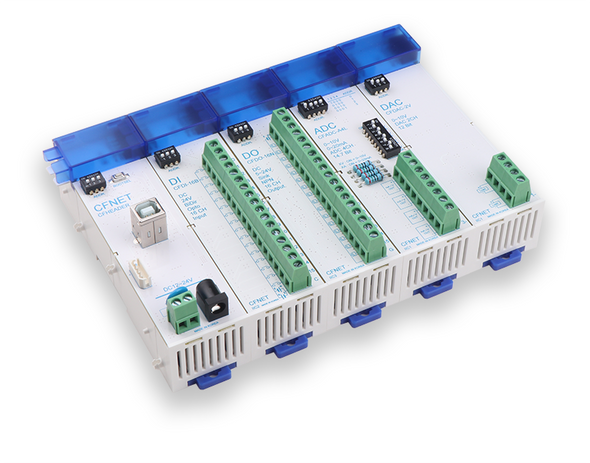

Description
ComfileWEB is free, web-based, no-code PC HMI software for monitoring and controlling CFNET I/O. It allows you to create interactive operator screens through a visual editor, without developing a custom PC application from scratch.
Build your interface by placing widgets on a page and assigning them to device addresses. Display input states, control outputs, and visualize analog measurements using buttons, lamps, numeric displays, gauges, and other interactive controls.
Design Your HMI Visually
ComfileWEB provides a browser-based editing environment with a widget toolbox, page management, and property settings. Arrange controls on the screen and customize their appearance to suit your equipment and operating requirements.
- Buttons and toggles — Create controls for operator input.
- Lamps — Show device states and operating conditions.
- Numeric and text displays — Present measurements, labels, and equipment information.
- Sliders, gauges, progress bars, and tanks — Make values and process conditions easy to understand at a glance.
Turn Process Drawings into Interactive Screens
Use an SVG background to illustrate your equipment or process, then place interactive widgets over the drawing. Tanks, pipes, machines, and production stages can become part of an intuitive monitoring and control interface.
From a simple equipment panel to a process overview, ComfileWEB helps you create screens that reflect how your system actually works.
Connect to CFNET I/O
Connect CFNET I/O to your PC and map widgets to the corresponding device addresses. ComfileWEB connects the visual interface to your I/O, allowing operators to monitor signals and issue control commands from a PC.
- Digital inputs — Monitor switches, sensors, and equipment states.
- Digital outputs — Operate connected outputs using buttons and toggles.
- Analog inputs and outputs — Display measurements and adjust output values.
- Value scaling — Convert raw analog readings into meaningful displayed values, such as temperature, pressure, or level.
Web-Based Interface, Local Device Connection
ComfileWEB combines an HTML/JavaScript interface with an ASP.NET Core backend that handles communication with supported hardware through USB CDC. The browser provides the visual workspace, while the backend manages the device connection.
Free to Get Started
Whether you are testing I/O, building an equipment status display, or creating an operator panel, ComfileWEB offers a practical way to build a PC HMI without writing the interface code yourself.
Design your screen. Connect your I/O. Control your equipment.